01 / Size
Know your risk
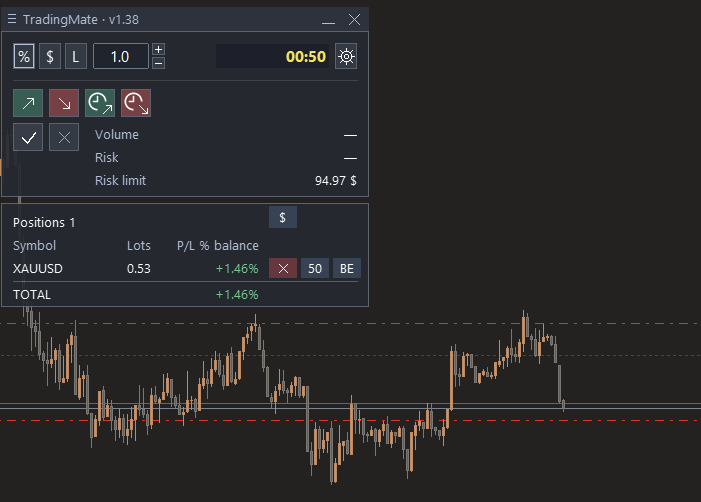
Size a trade from your risk budget and stop distance. Choose percentage, cash, or fixed lots.
An Expert Advisor for MetaTrader 5
Size your risk, plan your entry, and manage open positions from one compact panel on your MT5 chart.
01 / Size
Size a trade from your risk budget and stop distance. Choose percentage, cash, or fixed lots.
02 / Plan
Place entry, stop-loss, and take-profit levels on the chart before sending a market or pending order.
03 / Manage
Close part of a position or move its stop to break-even from the same panel.
Download / 01
The compiled Expert Advisor for MetaTrader 5 desktop.
Support / 02
If TradingMate helps with your workflow, an optional donation can support its development.

0xCc759c931C28B824Dd13EbafcBEFbD140cDd426F
Use BNB Smart Chain when sending. The QR code contains the receiving address.